How Tourist eSIMs Actually Work — From Purchase to Connection
simnow Editorial Team
Travel & Technology Writers
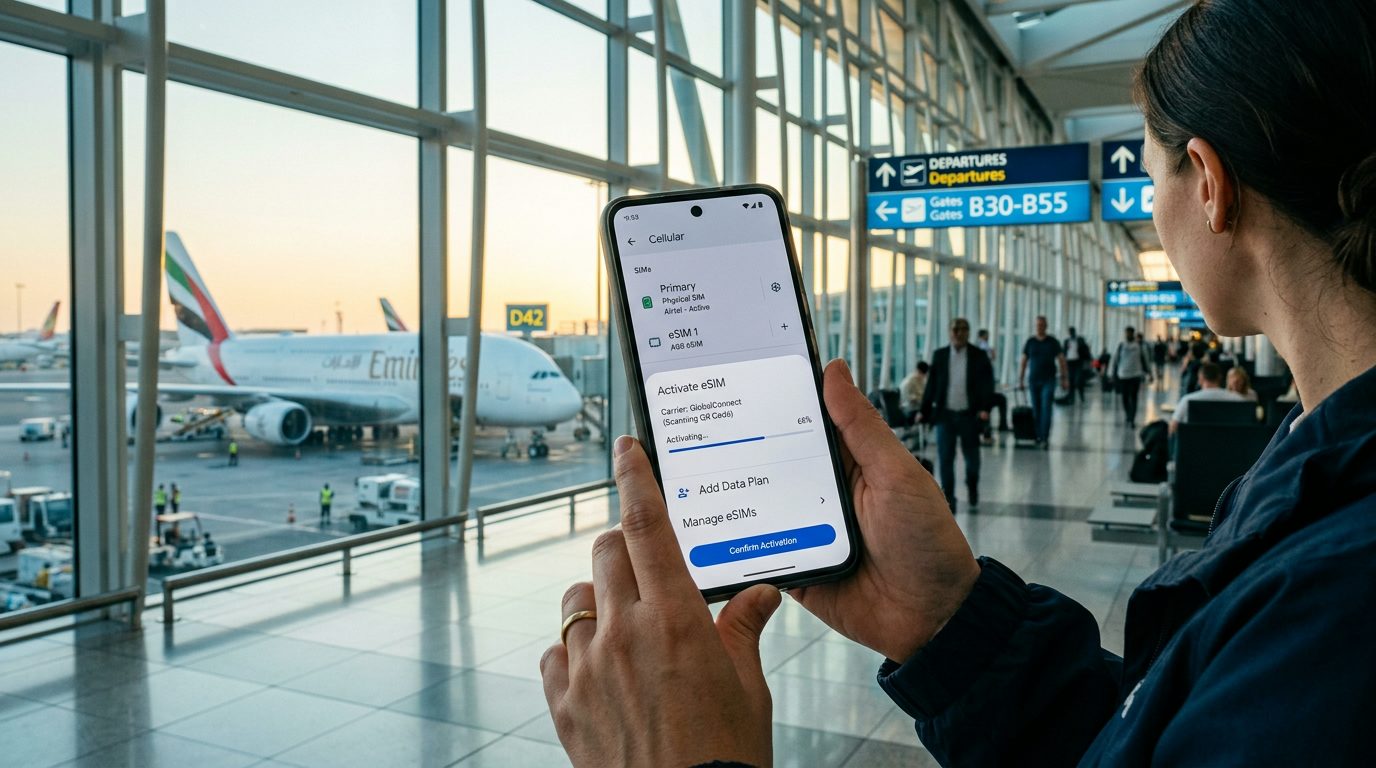
Modern smartphones now support embedded SIMs that activate instantly over Wi-Fi — no physical card, no waiting in airport queues.
The Technology: What Is an Embedded SIM?
A traditional SIM card is a small, removable chip you physically insert into your phone. It stores your subscriber identity and links your device to a carrier's network. An eSIM — short for embedded SIM — does exactly the same job, but it's permanently soldered onto your device's motherboard during manufacturing. You can't take it out, and you don't need to.
Why "embedded" matters
Because the hardware never changes, all the carrier-specific information — your plan, your number, your data allowance — lives as a secure software profile that can be downloaded, switched, or deleted entirely over-the-air. Your phone becomes a universal device.
The eSIM standard is maintained by the GSMA (the global association of mobile network operators), which means every eSIM follows the same technical specification regardless of which brand manufactured your phone or which country you're visiting. This interoperability is precisely why carriers enthusiastically adopted it.
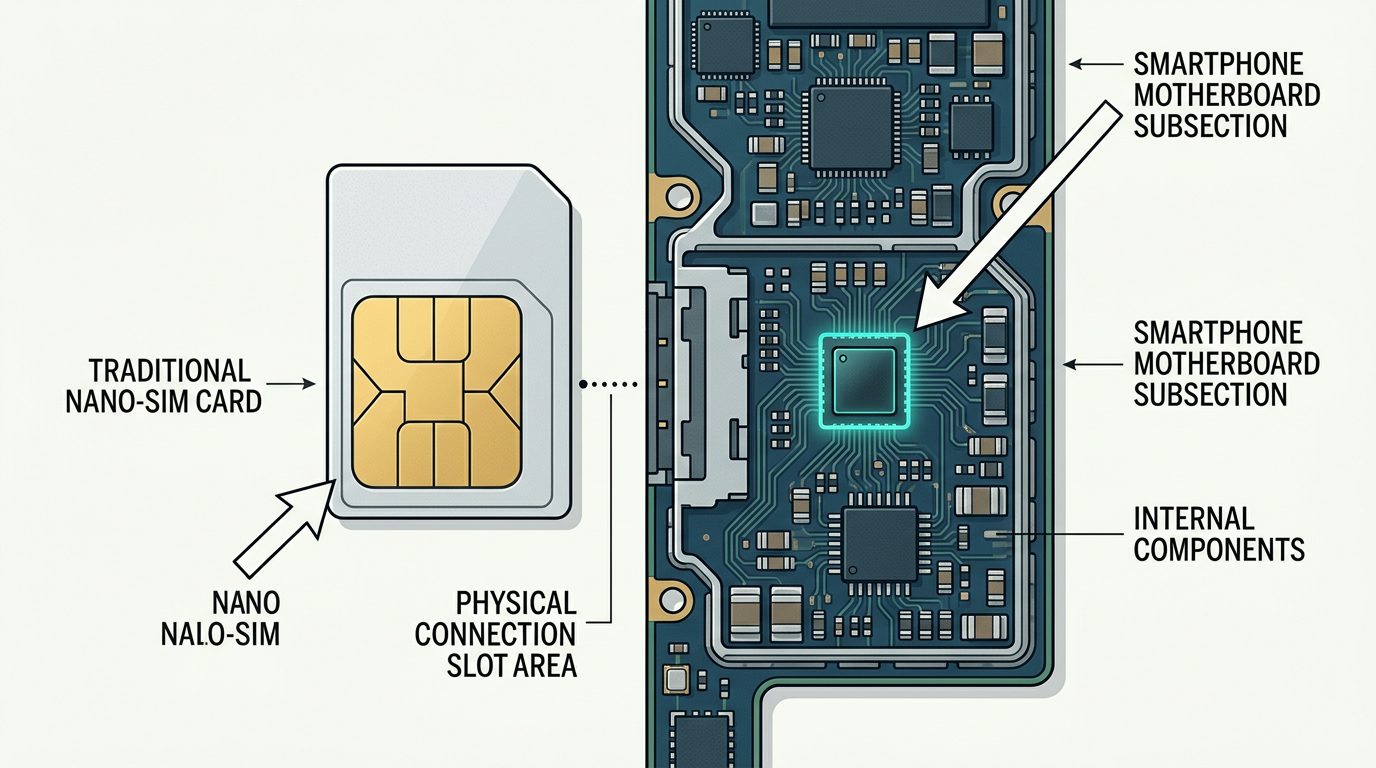
Left: physical nano-SIM. Right: the eSIM soldered directly onto the logic board — same function, no moving parts.
For carriers, eSIM reduces the cost of physical distribution (no SIM kits to print and ship), allows instant remote provisioning, and opens their networks to users anywhere in the world. For you, it means you can be on a plane, land in Tokyo, and have a working data connection before you've even collected your luggage.
✦ simnow Tip
Most devices purchased from 2020 onwards have eSIM capability built in. Even if you've never used it, the chip is already waiting inside your phone right now.
Tourist eSIM vs Standard eSIM: What's the Difference?
The underlying chip technology is identical. The difference lies entirely in the profile you download — the software package that tells the chip which network to connect to and under what commercial terms.
Standard Carrier eSIM
- → Linked to a long-term contract or postpaid plan
- → Requires ID verification and local address
- → Roaming charges apply when you travel
- → Single-country coverage as default
- → Remains active indefinitely
Travel / Tourist eSIM
For you- → Prepaid, no contract, instant purchase online
- → No local ID needed — email only
- → Built-in local/regional rates, no roaming fees
- → Regional bundles covering 10–190+ countries
- → Expires after a fixed number of days or GB
Travel eSIMs work by partnering with in-country operators to provide local data rates through a single international profile. When your phone connects in France, it may actually be routing through SFR. In Japan, through IIJ. You experience local speeds at local prices — the complexity is handled behind the scenes.
⚠ Regional vs Country-Specific Plans
A regional plan (e.g., "Europe — 10 GB") works across all covered countries but typically connects at 4G LTE speeds rather than 5G. A country-specific plan often offers 5G access and costs less per GB if you're staying in one place. Choose regional for multi-country trips; choose country-specific for longer single-destination stays.
Activation can be set to trigger when you first use data (most common) or on a fixed calendar date. This means you can safely purchase your travel eSIM weeks before departure and the countdown only starts when you actually need it.
Compatibility: Which Devices Support eSIM?
Before purchasing any eSIM plan, verify that your specific device and model support eSIM. Here's the definitive breakdown — tap each category to expand.
iPhone XS / XS Max / XR
Dual SIM (nano + eSIM)
iPhone 11 series
Dual SIM (nano + eSIM)
iPhone 12 series
Dual SIM (nano + eSIM)
iPhone 13 series
Dual SIM (nano + eSIM)
iPhone 14 series (US)
eSIM only — no physical SIM
iPhone 14 series (Intl)
Dual SIM (nano + eSIM)
iPhone 15 series
Dual eSIM (no physical SIM, US); nano + eSIM (Intl)
iPhone 16 series
Dual eSIM or nano + eSIM depending on region
iPad Pro / Air / Mini (2019+)
eSIM on cellular models
One more check: carrier lock
Even if your hardware supports eSIM, your device must be unlocked from your home carrier. Carrier-locked phones can only use eSIM profiles from that specific carrier. If you bought your phone outright, it's almost certainly unlocked. If you're on a subsidised contract, contact your carrier to request an unlock — most will do it for free after 12 months.
Activation Walk-Through: QR Code & Manual Entry
Once you've purchased your eSIM plan, you'll receive an email with either a QR code, a manual activation code, or both. The installation takes under 2 minutes. Choose your method below:
Open your phone camera or Settings
On iPhone: Settings → Cellular → Add eSIM. On Android: Settings → Connections → SIM Manager → Add mobile plan.
Select "Scan QR Code"
Point your rear camera at the QR code in your simnow confirmation email. Keep the code well-lit and steady — it scans in under 3 seconds.
Confirm the plan details
Your screen will show the plan name, data allowance, and validity period. Review and tap "Add" or "Confirm".
Wait for download (10–30 seconds)
The eSIM profile downloads over your existing Wi-Fi or mobile connection. Do not close the app during this step.
Label your eSIM
Give it a recognisable name like "simnow Japan". This helps you manage it alongside your home SIM in Dual SIM settings.
Set data line preference
Your phone will ask which SIM to use for cellular data. Select the new eSIM. Leave calls and SMS on your home SIM.
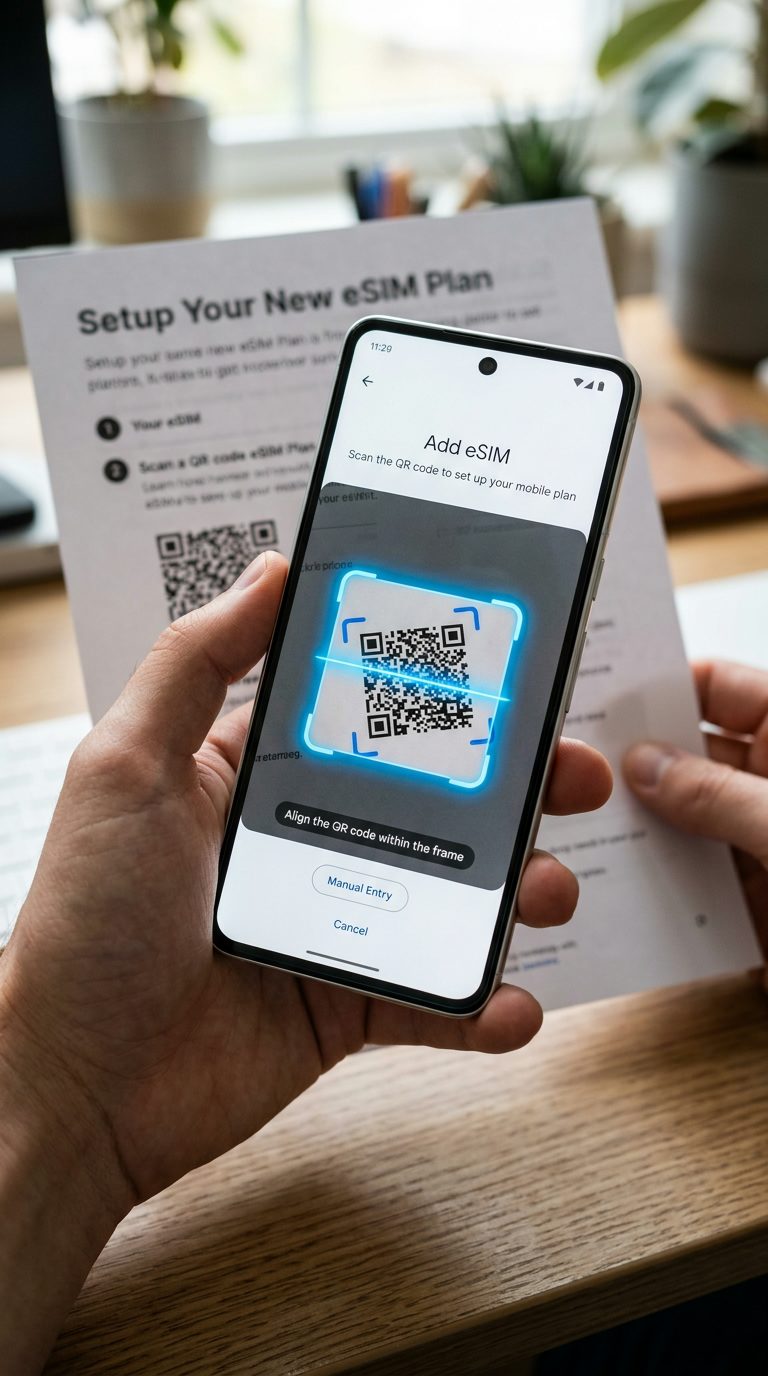
✦ One QR = One Install
Each QR code is single-use and device-specific. If you need to reinstall the eSIM (e.g., after a factory reset), contact your eSIM provider for a fresh QR. Never share your QR code with anyone — it's the equivalent of sharing your SIM card.
Dual SIM Mode: Keep Your Home Number While You Travel
Dual SIM is the killer feature that makes eSIM genuinely transformative for travellers. Your phone maintains two active connections simultaneously — your physical home SIM (or primary eSIM) for calls and texts from home, and your travel eSIM for affordable local data.
Home SIM
Calls & SMS
Your regular number
Your Device
Both active
Travel eSIM
Mobile Data
Local rates
Your home contacts can still call your regular number. WhatsApp, iMessage, and verification SMS still arrive on your home number. Meanwhile, all your browsing, maps, and social apps route through your travel eSIM's data at a fraction of roaming cost.
How to Configure Dual SIM on iPhone
Go to Settings → Cellular
You'll see both SIMs listed (e.g. "Primary" and "Travel eSIM")
Tap "Cellular Data" → select your Travel eSIM
Tap "Default Voice Line" → keep your Home SIM selected
Enable "Allow Cellular Data Switching" only if you want a fallback
How to Configure Dual SIM on Android (Samsung)
Go to Settings → Connections → SIM Card Manager
Both SIMs are shown — toggle each on/off as needed
Tap "Mobile Data" → select Travel eSIM
Tap "Calls" → select your Home SIM
Tap "SMS Messages" → select your Home SIM
✦ simnow Tip: Disable "Data Roaming" on Your Home SIM
Go into your home SIM settings and turn off "Data Roaming". This ensures your home carrier never accidentally charges you international data rates, even if your phone briefly tries to switch. Your travel eSIM handles all data; your home SIM is calls-and-texts only.
Data Management: Monitor, Top Up, and Handle Expiry
Once your eSIM is active, staying in control of your data takes about 30 seconds a day. Here's everything you need to know to never run out at the wrong moment.
Monitoring Your Usage
Native Phone Settings
iPhone: Settings → Cellular → scroll to your Travel eSIM and tap it. You'll see "Current Period" data used. Android: Settings → Connections → Data Usage → select your eSIM.
Provider Dashboard
Log in to your simnow account at any time to see real-time remaining data, days left on your plan, and your full purchase history — no app needed.
Usage Alerts
Most travel eSIM providers send automatic email alerts at 50{3747cc929e3f8ac8886560ddace70f2ed0e3239e9f0db707f4a92d658de0409a}, 80{3747cc929e3f8ac8886560ddace70f2ed0e3239e9f0db707f4a92d658de0409a}, and 100{3747cc929e3f8ac8886560ddace70f2ed0e3239e9f0db707f4a92d658de0409a} usage. Keep notifications enabled on your email account while travelling.
Topping Up Your Plan
If you exhaust your data before your plan expires, you have two options depending on your provider:
Top-Up Add-On
Purchase additional data on the same profile without reinstalling anything. The new GB is added to your existing active plan. Available from your simnow dashboard.
New Plan on Same eSIM
Some providers let you purchase a follow-on plan tied to the same eSIM profile — it activates automatically when your current plan ends.
Install a Second eSIM
If your device supports multiple eSIM profiles (most modern phones store up to 10–20 saved profiles), you can install a fresh plan alongside your existing one.
What Happens When Your Plan Expires?
When either your data allowance reaches zero or your validity period ends (whichever comes first), your eSIM data stops working. The eSIM profile itself remains installed on your device — it simply becomes inactive. You will not be charged any overage fees. The profile sits quietly until you either top up, buy a new plan, or delete it.
Plan Expiry: At a Glance
✦ Pro Traveller Move: Buy Data-Heavy, Use Wisely
Unused data at expiry cannot be refunded, but buying slightly more than you need gives you peace of mind. For a 7-day trip with moderate streaming and navigation, 5 GB is usually comfortable. If you're a heavy Instagram/YouTube user or working remotely, budget 10–15 GB. Enable "Low Data Mode" on iPhone (Settings → Cellular → your eSIM → Low Data Mode) to automatically reduce background data consumption.
You're now an eSIM expert.
From the chip inside your phone to managing your data on the other side of the world — you've covered it all. Next, explore our destination-specific guides or browse our glossary of eSIM terms to fill in any remaining gaps.
eSIM Terms, Plain & Simple
Cut through the jargon. Every term you'll encounter when buying, activating, or troubleshooting a travel eSIM — defined in one clear sentence.
Access Point Name
A gateway setting that tells your device how to connect to your carrier's mobile data network — simnow eSIMs configure this automatically.
A gateway setting that tells your device how to connect to your carrier's mobile data network — simnow eSIMs configure this automatically.
Network Lock
A restriction some manufacturers place on a device that prevents it from using SIM cards or eSIM profiles from other carriers.
A restriction some manufacturers place on a device that prevents it from using SIM cards or eSIM profiles from other carriers.
International Data Roaming
The ability to access mobile data while traveling outside your home network's coverage area, typically by connecting to a partner carrier abroad.
The ability to access mobile data while traveling outside your home network's coverage area, typically by connecting to a partner carrier abroad.
Dual SIM / DSDA
A device feature that lets you run two active phone numbers or data plans simultaneously — usually one physical SIM and one eSIM profile.
A device feature that lets you run two active phone numbers or data plans simultaneously — usually one physical SIM and one eSIM profile.
eUICC Identifier
A unique 32-digit number permanently assigned to your device's embedded SIM chip, similar to a serial number for the eSIM hardware itself.
A unique 32-digit number permanently assigned to your device's embedded SIM chip, similar to a serial number for the eSIM hardware itself.
Embedded SIM
A programmable SIM chip soldered directly into a device, allowing you to download and switch carrier profiles digitally without a physical SIM card.
A programmable SIM chip soldered directly into a device, allowing you to download and switch carrier profiles digitally without a physical SIM card.
Embedded Universal Integrated Circuit Card
The hardware standard that defines how an eSIM chip stores and manages multiple carrier profiles securely inside a device.
The hardware standard that defines how an eSIM chip stores and manages multiple carrier profiles securely inside a device.
Global System for Mobile Communications Association
The global industry body that sets the technical standards and certification requirements governing how eSIMs are manufactured and operated worldwide.
The global industry body that sets the technical standards and certification requirements governing how eSIMs are manufactured and operated worldwide.
Integrated Circuit Card Identifier
A unique 19–20 digit number that identifies a SIM or eSIM profile, often needed when activating a plan or contacting support.
A unique 19–20 digit number that identifies a SIM or eSIM profile, often needed when activating a plan or contacting support.
International Mobile Equipment Identity
A 15-digit number that uniquely identifies your physical device — not your SIM — and is used to verify eSIM compatibility before purchase.
A 15-digit number that uniquely identifies your physical device — not your SIM — and is used to verify eSIM compatibility before purchase.
Local Profile Assistant
The software built into your device's operating system that handles downloading, installing, and managing eSIM profiles from a remote server.
The software built into your device's operating system that handles downloading, installing, and managing eSIM profiles from a remote server.
Mobile Network Operator
A company that owns and operates the physical mobile network infrastructure over which voice calls and data are transmitted in a given country.
A company that owns and operates the physical mobile network infrastructure over which voice calls and data are transmitted in a given country.
Mobile Virtual Network Operator
A carrier that sells mobile services using another operator's network — many travel eSIM providers, including simnow partners, are MVNOs.
A carrier that sells mobile services using another operator's network — many travel eSIM providers, including simnow partners, are MVNOs.
QR-Based eSIM Activation
The most common way to install a travel eSIM: you scan a QR code provided by your carrier, and your device downloads the profile automatically.
The most common way to install a travel eSIM: you scan a QR code provided by your carrier, and your device downloads the profile automatically.
Subscription Manager Data Preparation+
The secure remote server responsible for encrypting and delivering eSIM profiles to your device when you activate a new data plan.
The secure remote server responsible for encrypting and delivering eSIM profiles to your device when you activate a new data plan.
Subscription Manager Secure Routing
A GSMA-defined server component that manages secure communication between the SM-DP+ and the eSIM chip inside your device.
A GSMA-defined server component that manages secure communication between the SM-DP+ and the eSIM chip inside your device.
Mobile Hotspot / Tethering
Using your phone's mobile data connection to provide internet access to other devices, such as laptops or tablets, via Wi-Fi, Bluetooth, or USB.
Using your phone's mobile data connection to provide internet access to other devices, such as laptops or tablets, via Wi-Fi, Bluetooth, or USB.
Voice over LTE
A technology that routes phone calls over the 4G LTE data network rather than older voice channels, delivering clearer calls and faster data simultaneously.
A technology that routes phone calls over the 4G LTE data network rather than older voice channels, delivering clearer calls and faster data simultaneously.
Still confused by a term?
Our full explainer article walks you through every step — from choosing a plan to scanning your QR code abroad. Read the full guide →
Travel Smarter. Connect Instantly. Your essential guide to staying connected anywhere in the world.
Connect
- [email protected]
- +1 (800) 746-6963
- 340 Pine St, Suite 800
San Francisco, CA 94104
USA
© 2026 simnow. All rights reserved.
Helping travelers stay connected in 190+ countries worldwide.